SPONSORED POST: Pixaroll!
Hello there everyone!
Wow it's been a while since I've posted but I've been up to my neck in a lot of stuff so here's a little something special for you guys!
Easy, simple and super finger bite sized, introducing something that will make ALL of your instagram photos come to life within seconds! Always wanted to develop those lovely edited instagraphs and hang/paste/use as decorations or for memory's keepsake? Here's something that will help you accomplish that in the easiest way possible!

Say hello to PIXAROLL!
The amazing company that prints your phone or Instagram's photos into stickers, magnets, even stamps and delivers it right to your doorstep!
You can now have your photographs in your phones printed and sent anywhere in Asia, Australia and North America! Print it as a keepsake, a memento or even a gift with their brand NEW and updated pixaroll app that's completely free of charge!
Print it as 4R (4 inches x 6inches)or 4x4 instagram photos, to magnets, art prints, chop blocks (stamps), stickers, PHONE COVERS (!!!) and cards! With a whole variety of prints for you to choose, you can knock your self out crazy! With the new app, it's even more easy breezy peesy - with the added bonus of the convenience that you don't even need to leave your seat.
It super simple to use, even a dog could do it. Wuff.
Interested? Just download their app here on itunes or search for pixaroll on android's playstore and give it a go! The app is completely free of charge, so don't you worry about paying for it. (wink wink) If you find their name a little familiar, it's because pixaroll is the #1 ranked app on Singapore's photo and video section PLUS many users have this app to print out their instagraphs!
Let's get started!
Step 1: Download Pixaroll's app and open it up!
Here's a look at their new updated app!


All the different types of prints you can use for your photographs!
The sleek design makes it easy for even the most clumsiest of hands to navigate through by just swiping up and down to select what kinda of photographs you might want! Find the type you want to print your pictures with and just select it!
For example, if you want a framed photo, just click onto the words FRAMES.

If you want to know what the frames look like, there's sample photographs on the top.
Out pops out all of the different sizes and prices for you to select so! If you want to know more about this type of print, just click on the question mark circle on the top right hand corner and open up a page filled with information.

Easy as one two three. Especially with CNY over and your instagram filled with your #ootd and your family photographs, it's a good way to print out your Chinese New Year gathering photographs and keep them as memories (or pass them to your grandparents as a gift because we know who loves us the most during cny).
Step 2: Select the type of prints you want (for me, I'm selecting stickers)
Click on STICKER and it will open up the price and size page for you to select whichever you would like!


Step 3: Selecting Instagraphs time!
Select the type you want and just click on it, for example, you want the 2.5 x 2.5 stickers, just click on it and another new page will load up for you to select your images! You can select your phone album photos or your instagram photos just by selecting either one of the icons. (Left: phone, right: Instagram)

Select the phone album logo (on the right) and your album photos will be loaded up.

AND if you want to use your instagram, just click on the instagram logo and you'll be directed to login!

Once you have decided on which album to use, you can select the photos according to the number of ones you have picked at the start!

Once you have selected all your photographs, just click on the top right hand corner arrow to move to the next step!

If you want to rotate or crop any of these, just click on the photos! (how convenient is that?!) Once you are done cropping and rotating the photos, just click on the arrow key on the right hand corner once more and you are almost done!
Step 4: Key in your information!
Finally down the second last step! Once your photographs are selected, they will be placed into your cart and you can select the type of stickers you want (glassy or matte)


Fill in your address!

Wait for the photos to all be uploaded!
.jpg)
Finally, add your billing/payment information and you are done!

Step 5: ALL DONE now you wait!
Depending on the different types you have chosen, the waiting time differs but I assure you, all their services are super efficient and quick! Within minutes you can finish this entire process without even lifting a butt muscle to walk. Simple and easy and super duper affordable!
Honestly everything on the app is super simple to use, sleek, user friendly, hassle free and extremely convenient. If the app amazes you already, you should take a good look at their quality of stickers that they sent me!
Good quality, affordable and easy - it's a definite plus for those looking for gift ideas or decoration!
Luckily for me, I was looking for something equivalent to polaroid photographs and pixaroll came to my rescue! Now I have my photographs easily without having to walk to a print shop to figure out the dimensions by myself because I am terrible at that!
Ready to take a look at the final results?


I picked my stickers in matte form! Finally, I can decorate my wall with pictures of the things that make me ME.

Super stoked and happy at the stickers I've received as well! I have not pasted them anywhere yet but soon (when I get more photographs from pixaroll) at the moment, they are hanging as lovely decorations for my study table wall.

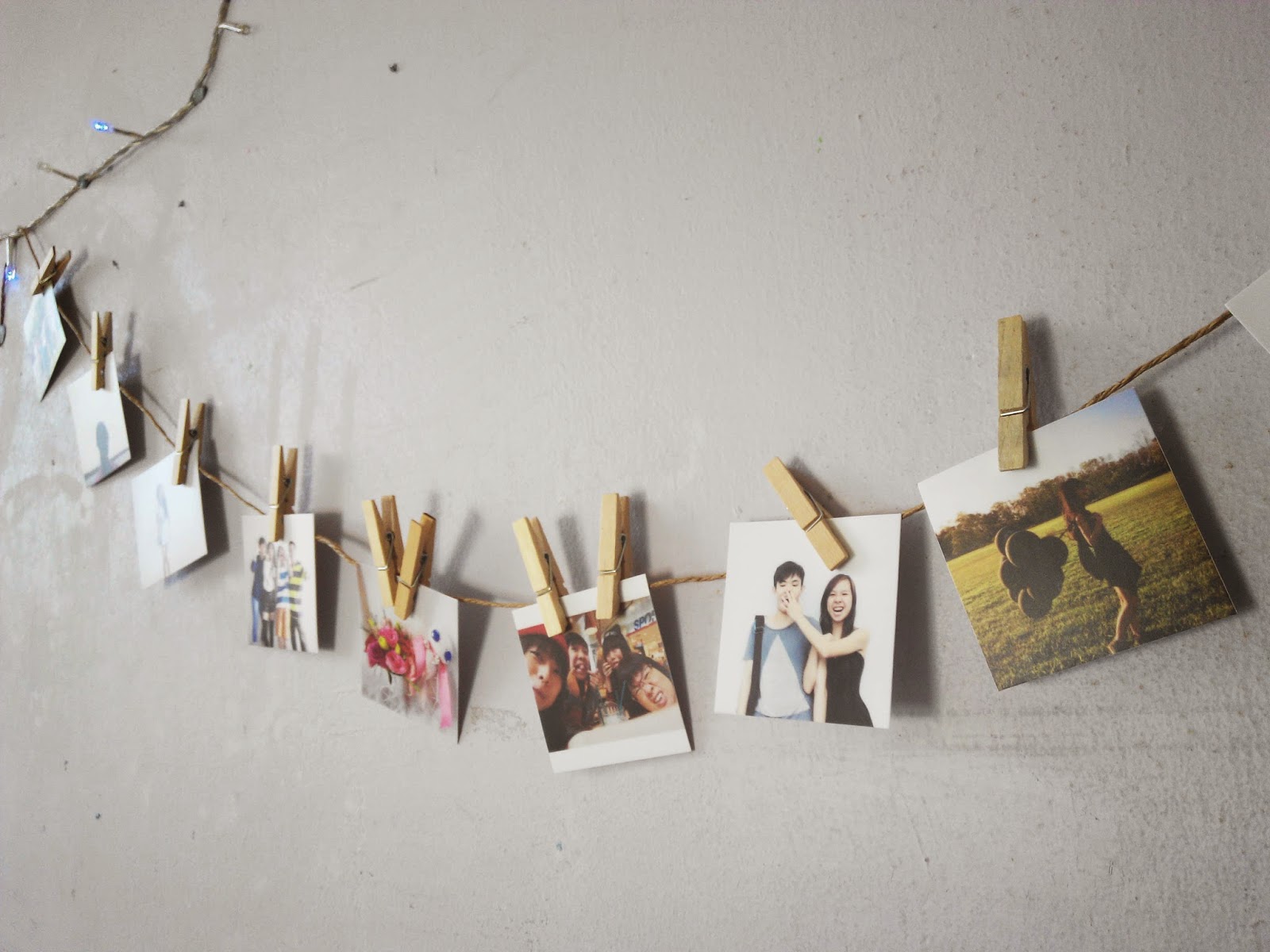


THANK YOU PIXAROLL!

Are you ready to start printing out your instagraphs for your memory keepsakes or for your loved ones? I'm already prepared to start printing another few for my table (snigger)!
Oh and before I forget, Pixaroll is not only going to be on your phone apps but a new desktop version will be launched too so you can use your photos from your computer to be sent for printing through your laptops and whatnot! Get ready for that!
Facebook page: https://www.facebook.com/PixaRoll
Website: https://www.pixaroll.com/

A huge thank you for Pixaroll for sponsoring this post review! Can't wait to get myself some of that customized phone covers!
xoxo
evelyn


0 comments